


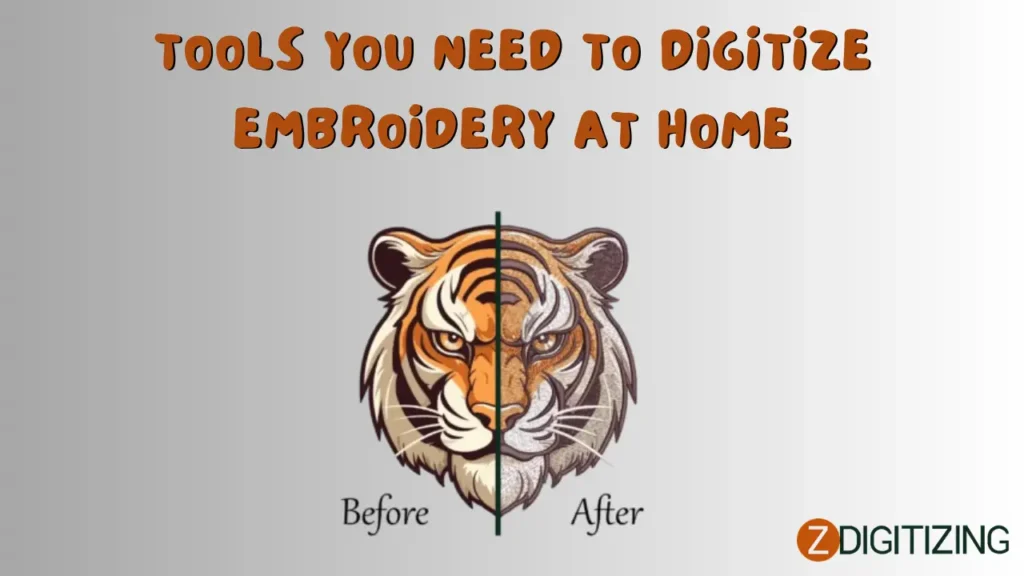
Embroidery digitizing is the process of converting artwork, logos, or patterns into digital stitch files (e.g., DST, PES) that embroidery machines use to create designs on fabrics. For hobbyists, small business owners, or DIY enthusiasts, digitizing embroidery at home is an exciting way to personalize projects, create branded apparel, or explore creative designs. While online services like ZDigitizing offer professional digitizing, having the right tools at home empowers you to take control of the process. This comprehensive blog outlines the essential tools you need to digitize embroidery at home, covering software, hardware, and accessories, along with tips for success. A concise FAQ section at the end addresses common questions to guide beginners in setting up their home digitizing workflow.
Why Digitize Embroidery at Home?
Digitizing at home gives you creative freedom, cost savings over time, and the ability to experiment with designs for personal or small-scale commercial projects. With the right tools, you can create professional-quality stitch files for uniforms, gifts, or boutique apparel. While online services are ideal for quick or complex projects, a home setup is perfect for those who want hands-on control and frequent digitizing.
Essential Tools for Home Embroidery Digitizing
To digitize embroidery at home, you’ll need a combination of software, hardware, and accessories. Here’s a detailed list of the tools required:
1. Embroidery Digitizing Software
Specialized software is the core tool for creating and editing stitch files.
-
Recommended Options:
-
Hatch Embroidery by Wilcom ($149-$1,099): User-friendly with levels for beginners (Organizer) to professionals (Digitizer). Offers auto-digitizing, manual control, and 1,000+ built-in designs.
-
Embrilliance Essentials ($149): Beginner-friendly for editing and lettering, with StitchArtist add-ons ($169-$649) for advanced digitizing.
-
Ink/Stitch (Free): Open-source extension for Inkscape, ideal for budget-conscious hobbyists, supporting manual digitizing and basic editing.
-
Brother PE-Design 11 ($1,399): Tailored for Brother machines with strong auto-digitizing and photo-stitch features.
-
-
Key Features to Look For:
-
Auto-digitizing for quick conversions of simple images.
-
Manual digitizing for precise control over complex designs.
-
Support for common file formats (DST, PES, JEF).
-
Stitch simulator for previewing designs.
-
-
Cost: Free (Ink/Stitch) to $1,000+ for premium software.
Why It’s Essential: Software converts artwork into machine-readable stitch files, allowing customization and optimization for fabrics.
Tip: Start with free or affordable options like Ink/Stitch or Embrilliance, and upgrade to Hatch for more features as skills grow.
2. Computer or Laptop
A reliable computer is necessary to run digitizing software and manage files.
-
Requirements:
-
Operating System: Windows (7 or later) or MacOS (for compatible software like Hatch or Embrilliance).
-
Processor: Minimum 2 GHz (e.g., Intel Core i3 or higher) for smooth performance.
-
RAM: 4GB minimum, 8GB+ recommended for complex designs.
-
Storage: 10GB free space for software and design files.
-
Graphics: Basic graphics card for rendering previews; dedicated GPU not required.
-
-
Cost: $300-$1,000 for a suitable laptop or desktop.
Why It’s Essential: A computer handles software processing, file storage, and design previews.
Tip: Ensure your computer meets software requirements, and keep it updated to avoid performance issues.
3. Embroidery Machine
An embroidery machine is needed to test and stitch your digitized designs.
-
Recommended Options:
-
Brother SE600 ($400): Affordable, beginner-friendly with a 4×4-inch hoop and PES format support.
-
Janome Memory Craft 400E ($1,400): Mid-range with a 7.9×7.9-inch hoop and multiple format support.
-
Bernina 500 ($3,000+): High-end for advanced users, supporting large designs and specialty techniques like 3D puff.
-
-
Key Features:
-
Compatibility with common file formats (DST, PES, JEF).
-
USB or card reader for transferring files.
-
Adjustable tension and speed for testing.
-
-
Cost: $300-$3,000+, depending on features and brand.
Why It’s Essential: The machine executes your digitized files, turning designs into embroidered products.
Tip: Check your machine’s manual for supported file formats and hoop sizes before digitizing.
4. Graphic Design Software (Optional)
Graphic design tools help create or refine artwork before digitizing.
-
Recommended Options:
-
Canva (Free or $120/year): User-friendly for creating simple logos or patterns.
-
Inkscape (Free): Open-source vector graphics editor, ideal for Ink/Stitch users.
-
Adobe Illustrator ($240/year): Professional tool for creating high-resolution vector artwork.
-
-
Key Features:
-
Ability to create or edit high-resolution (300 DPI) images in JPG, PNG, or AI formats.
-
Vector support for clean scaling.
-
-
Cost: Free (Canva, Inkscape) to $240/year (Adobe).
Why It’s Essential: High-quality artwork ensures clear, embroidery-friendly designs.
Tip: Use vector formats (SVG, AI) for logos to simplify digitizing and maintain clarity.
5. Embroidery Hoops and Stabilizers
Hoops and stabilizers ensure proper fabric tension and stitch quality during testing.
-
Hoops:
-
Match your machine’s hoop sizes (e.g., 4×4, 5×7 inches).
-
Magnetic or snap-on hoops for quick setup.
-
Cost: $20-$100 per hoop.
-
-
Stabilizers:
-
Tear-away for lightweight fabrics (e.g., cotton).
-
Cut-away for stretchy or heavy fabrics (e.g., denim).
-
Water-soluble for delicate materials or free-standing lace.
-
Cost: $10-$50 for a roll.
-
-
Additional Accessories:
-
Foam for 3D puff designs ($5-$15).
-
Embroidery threads in various colors ($1-$5 per spool).
-
Why It’s Essential: Hoops and stabilizers secure fabric, ensuring accurate stitching and testing.
Tip: Stock multiple stabilizer types to test designs on different fabrics, like cotton or twill.
6. USB Drive or Card Reader
A USB drive or card reader transfers digitized files from your computer to your embroidery machine.
-
Requirements:
-
USB 2.0 or 3.0 drive (4GB+ capacity) for modern machines.
-
Machine-specific card reader for older models (e.g., Brother or Janome cards).
-
-
Cost: $5-$30.
Why It’s Essential: Ensures seamless file transfer to your embroidery machine.
Tip: Format the USB drive to FAT32 for compatibility with most embroidery machines.
7. Test Fabrics and Scrap Materials
Scrap fabrics similar to your final project material are crucial for testing designs.
-
Types:
-
Cotton, polyester, twill, or denim to match uniform or apparel fabrics.
-
Small swatches (4×4 inches or larger) for cost-effective testing.
-
-
Cost: $5-$20 for a variety pack or repurposed scraps.
Why It’s Essential: Testing on scrap fabric catches issues like puckering or thread breaks before production.
Tip: Keep a variety of scrap fabrics to test designs for different projects, such as caps or jackets.
8. Learning Resources
Access to tutorials and support resources accelerates your learning curve.
-
Options:
-
Online tutorials (YouTube, provider websites like Wilcom or Embrilliance).
-
Community forums (e.g., Hatch’s 30,000+ user Facebook group).
-
Software manuals or built-in help guides.
-
-
Cost: Free (online resources) or included with software purchase.
Why It’s Essential: Learning resources help you master digitizing software and troubleshoot issues.
Tip: Join online communities for tips and inspiration from other home digitizers.
Optional Tools for Enhanced Digitizing
-
Graphics Tablet ($50-$200): Improves precision for manual digitizing in software like Ink/Stitch or Hatch.
-
Color Calibration Tool ($100-$300): Ensures accurate color matching for thread selection.
-
External Hard Drive ($50-$100): Backs up designs and files for long-term storage.
These tools enhance precision but aren’t mandatory for beginners.
Benefits of Home Digitizing
With the right tools, digitizing at home offers:
-
Creative Control: Customize designs for personal or small business projects.
-
Cost Savings: Avoid outsourcing costs ($10-$50 per design) for frequent digitizing.
-
Skill Development: Build expertise for hobbyist or commercial applications.
-
Versatility: Create designs for apparel, gifts, or home decor.
These benefits make home digitizing rewarding for dedicated creators.
Applications of Home Digitizing
Home digitizing supports various projects:
-
Personalized Gifts: Monogram towels, blankets, or bags for friends or family.
-
Small Business Branding: Embroider logos on shirts or caps for Etsy shops or markets.
-
Home Decor: Create custom patterns for pillows, curtains, or table runners.
-
Specialty Designs: Experiment with 3D puff or appliqué for unique apparel.
Tips for Success
-
Start Simple: Begin with basic designs and auto-digitizing features to build confidence.
-
Test Thoroughly: Always test on scrap fabric to refine stitch settings and avoid waste.
-
Learn Gradually: Use tutorials and free trials (e.g., Hatch’s 30-day trial) to master software.
-
Outsource When Needed: For complex designs or tight deadlines, use services like ZDigitizing ($10-$50 per design).
Overcoming Common Challenges
-
Learning Curve: Digitizing software can be complex for beginners.
-
Solution: Start with user-friendly tools like Embrilliance and leverage tutorials.
-
-
Equipment Costs: Software and machines require upfront investment.
-
Solution: Use free software (Ink/Stitch) and affordable machines like Brother SE600.
-
-
File Errors: Incorrect formats or settings cause stitching issues.
-
Solution: Verify machine compatibility and test files before production.
-
Technologies Supporting Home Digitizing
Modern tools enhance home digitizing:
-
AI Features: Auto-digitizing in software like Hatch simplifies the process.
-
Cloud Storage: Back up designs securely for easy access.
-
Community Support: Online forums and tutorials provide guidance.
Future Trends in Home Digitizing
Emerging technologies will improve home digitizing:
-
AI Advancements: Enhance auto-digitizing accuracy for complex designs.
-
Augmented Reality (AR): Preview designs on virtual fabrics for precision.
-
IoT Integration: Connect machines and software for real-time adjustments.
Conclusion
Digitizing embroidery at home is achievable with the right tools: user-friendly software (Hatch, Embrilliance, Ink/Stitch), a reliable computer, an embroidery machine, hoops, stabilizers, and learning resources. These tools empower creators to produce professional stitch files for personalized gifts, branding, or decor without relying solely on services like ZDigitizing. By starting simple, testing thoroughly, and leveraging tutorials, you can master home digitizing. As AI, AR, and IoT technologies evolve, home digitizing will become even more accessible, enabling creators to craft stunning embroidery with ease and confidence.
FAQs About Tools for Home Embroidery Digitizing
What software is best for home digitizing?
Hatch ($149-$1,099) for versatility, Embrilliance ($149) for beginners, or Ink/Stitch (free) for budget users.
Do I need an expensive computer for digitizing?
No, a basic laptop ($300-$1,000) with 4GB RAM and 10GB storage works for most software.
What embroidery machine should I use?
Brother SE600 ($400) for beginners or Janome 400E ($1,400) for mid-range projects.
Why do I need stabilizers for digitizing?
They secure fabric during stitching, preventing puckering or misalignment.
Can I digitize without graphic design software?
Yes, but tools like Canva or Inkscape (free) help create embroidery-friendly artwork.
How much does a home digitizing setup cost?
$400-$2,000, including software, a computer, and a basic machine.
What projects can I create at home?
Personalized gifts, small business branding, home decor, or specialty designs like 3D puff.
How do I learn to digitize at home?
Use tutorials, software manuals, and online communities like Hatch’s Facebook group.
What technologies support home digitizing?
AI features, cloud storage, and community forums enhance efficiency and learning.
What’s the future of home digitizing?
AI advancements, AR previews, and IoT integration will simplify and enhance the process.